Your lists, in your glasses.
To-dos, packing, groceries, whatever you need. Make a list at displaylist.fun. Read it in your glasses and check things off with a tap.

Three steps, then it just works.
- 01
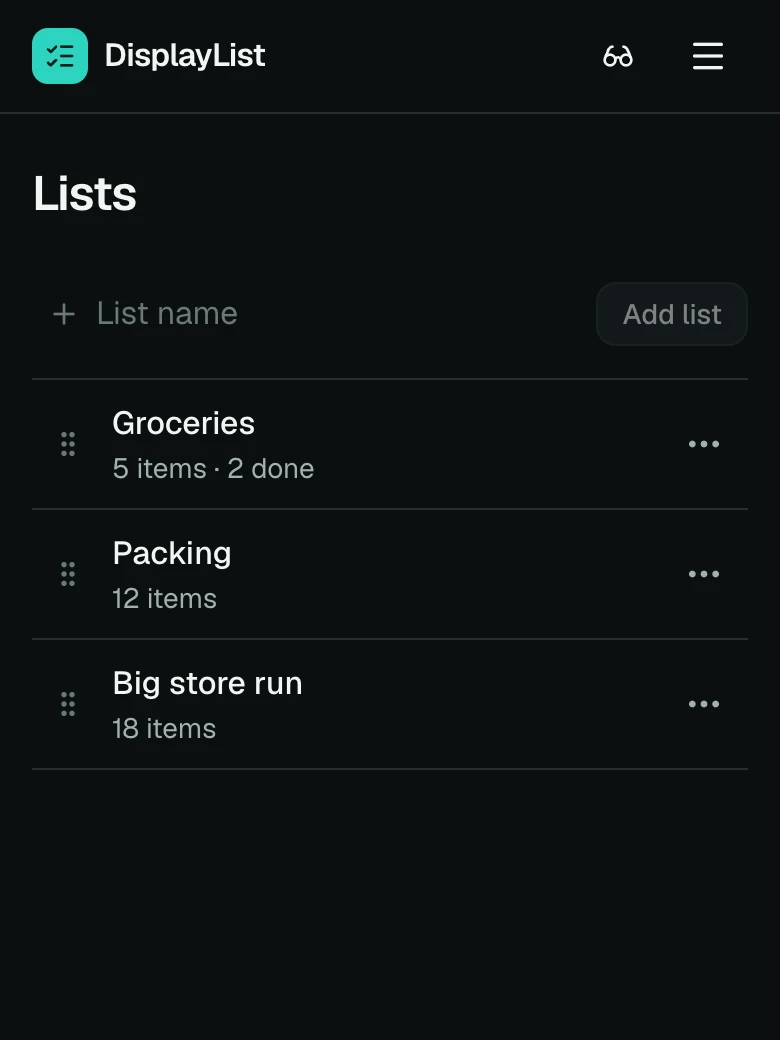
Make a list.
Open displaylist.fun on any phone or computer, sign in with your email, and type. To-dos, packing, groceries. Anything short.
- 02
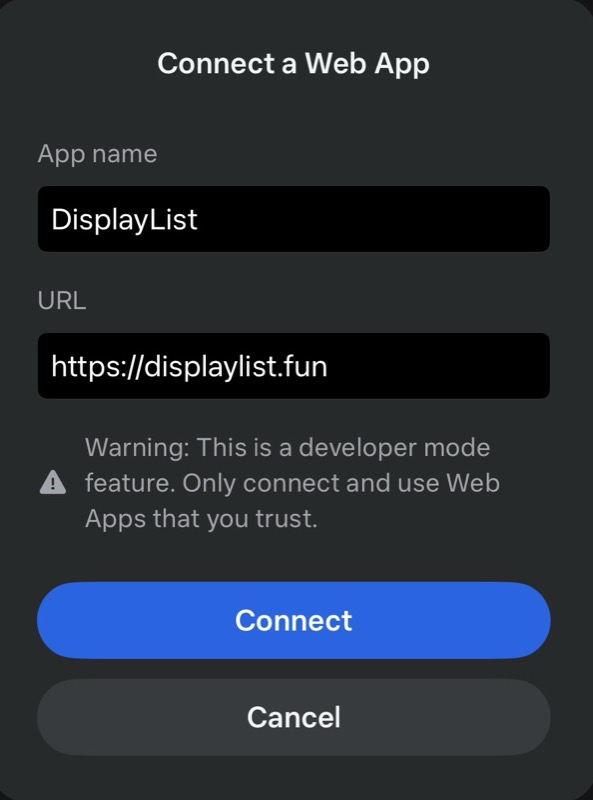
Add DisplayList to your glasses.
One-time setup in the Meta AI app. About two minutes. Install guide
 03
03Wear it. Tap to check things off.
Your list is there when you look. Checked items drop to the bottom and sync back to displaylist.fun a few seconds later.
What you see in the glasses.
Big type, one list at a time, nothing else on the screen.

What people keep here.
- Groceries
- Milk, eggs, bread. The list that comes back every week.
- The big store run
- A long list, checked off aisle by aisle.
- Packing for a trip
- Check it off as it goes in the bag.
- Recipe ingredients
- Hands busy, list in view.
- Chores
- The weekend list, one tap at a time.
- Work tasks
- A short list for the day, with your phone in your pocket.
Install on your glasses.
Turn on Developer Mode in the Meta AI app, then add DisplayList. It stays in your app grid.
Meta Ray-Ban Display is on sale in the US, the UK and Canada. France, Italy and Germany follow on October 13.
Frequently asked questions
Yes. DisplayList is a web app built for Meta Ray-Ban Display. You add it once through the Meta AI app and it appears in your glasses app grid.
Yes. There is no charge and no app store. You sign in with your email and start a list.
Yes, for now. Developer Mode is a setting in the Meta AI app that lets you add web apps. Open Settings, then App Info, and tap the version number five times. It takes under a minute and stays on.
Move up and down the list with the Meta Neural Band and tap to check an item. The change syncs to displaylist.fun within a few seconds.
Anything short enough to read at a glance. Most people keep groceries, errands, packing lists and recipes.
English, German, Spanish, French, Italian, Dutch, Polish, Portuguese, Russian, Thai and Chinese. Your lists can be in any language.
Only if you unpair them or stop using DisplayList for six months. Your glasses stay signed in while you use them.
No. DisplayList needs the in-lens display of Meta Ray-Ban Display.
Something else? Write to support@displaylist.fun.